
Desktop app
The desktop app is Interlinea’s main client: a Qt 6 application for Windows, macOS and Linux, with its interface in Qt Quick (QML) drawn in Interlinea’s own design, the same on every system. It works entirely on its own, without a team server, and connects to one or more team servers when a team works together. This page describes how it is built; using it is in Using Interlinea, the same for the desktop app and the browser client.
Architecture
Section titled “Architecture”┌────────────────────── Interlinea (Qt 6, Qt Quick + C++20) ──────────────────────┐│ QML: Projects · Editor · Memories · Terminology · Review · Accounts · Settings ││ Backend (C++): requests, files, segments with tags, preview, settings ││ ApiClient (QNetworkAccessManager, JSON, versions, errors) · Live feed (SSE) ││ │ │ ││ ▼ ▼ ││ Connection "This computer" Connection "Team server" (0..n) │└────────┬─────────────────────────────────────────┬───────────────────────────────┘ │ http://127.0.0.1:<port>, private token │ https://..., the person's sign-in ▼ ▼ interlinea-core (Go, started by the app) interlinea-server (Go) same API, SQLite in the app's data folder same API, SQLite or PostgreSQL- One API for local and team work. The app ships a Go program,
interlinea-core, and starts it. It runs the same server code as the team server, on the loopback interface, with its stores in the app’s data folder, one account (the person at the computer) and a token only the app knows. Everything the app does locally, it does the same way on a team server. Nothing needs a network. - File work is part of the API. What the browser client does in WebAssembly (reading and writing documents, bilingual files and packages, segmentation, language detection, checks, spelling, analysis, termbase files, alignment) the app asks the core for, through the same routes a team server has. The spelling dictionaries that come with Interlinea are installed next to the core.
- The app holds no second copy of the data. Lists, segments, entries and units come from the API; the live feed keeps open views current. Edits are saved as they are made, with versions, so a conflict is caught and shown, never overwritten.
- Sign-ins are kept in the system’s keychain (Windows Credential Manager, macOS Keychain, the Secret Service on Linux); where none can be used, Settings says where they are kept instead and why. Provider sign-ins open the system browser and come back to the app on a loopback address, which the server already allows.
- Accessibility is a requirement, not a polish step: every control has an accessible name and role, the segment grid and its tags are exposed to screen readers (UI Automation, NSAccessibility, AT-SPI), everything works from the keyboard, and the app follows the system’s contrast, font size and reduced-motion settings.
- Languages: the interface is in English, German or Korean, from the
catalogs in
i18n/that the browser client uses too (go run ./i18n/gen -checkfinds a string without a translation).
The core is a separate process: a crash in it can’t take the app down, the app restarts it, and the Go code is built the normal way on all three platforms.
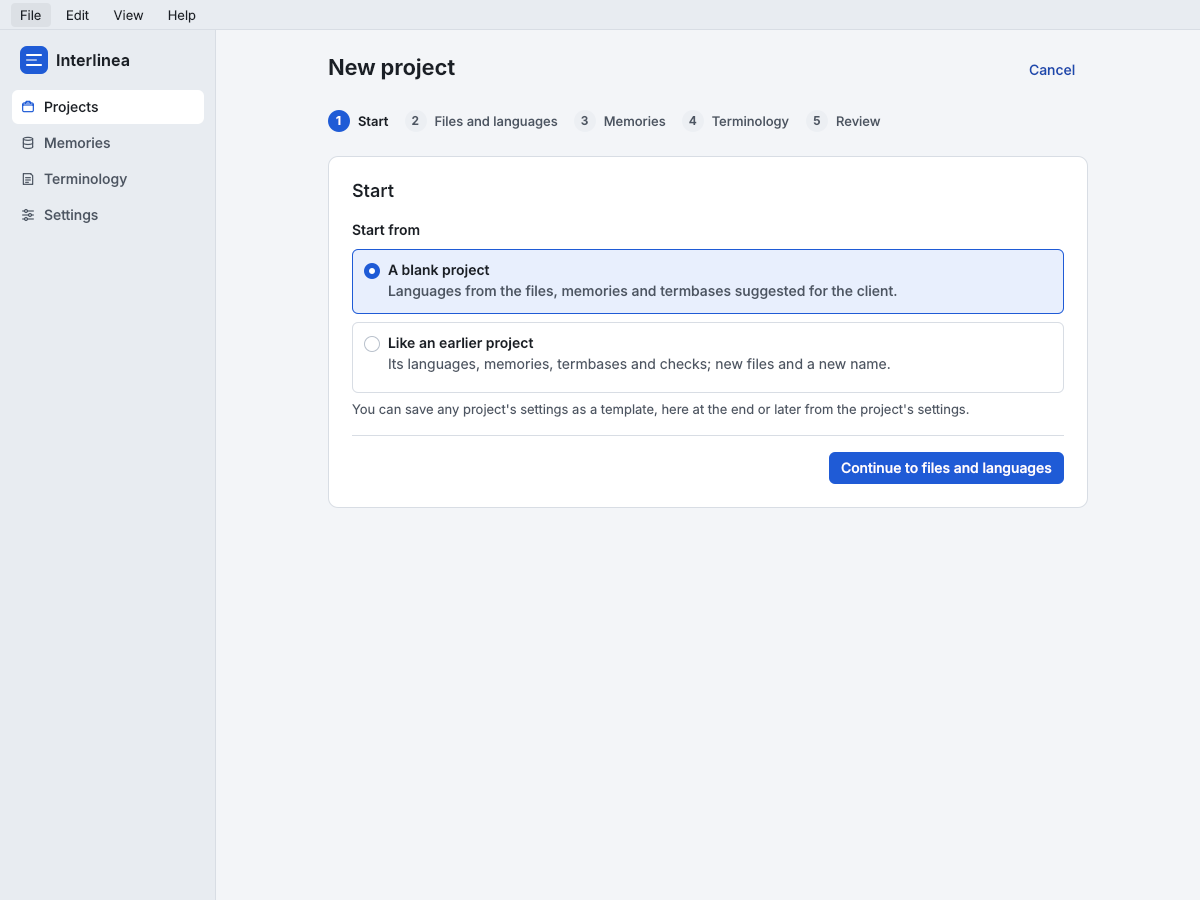
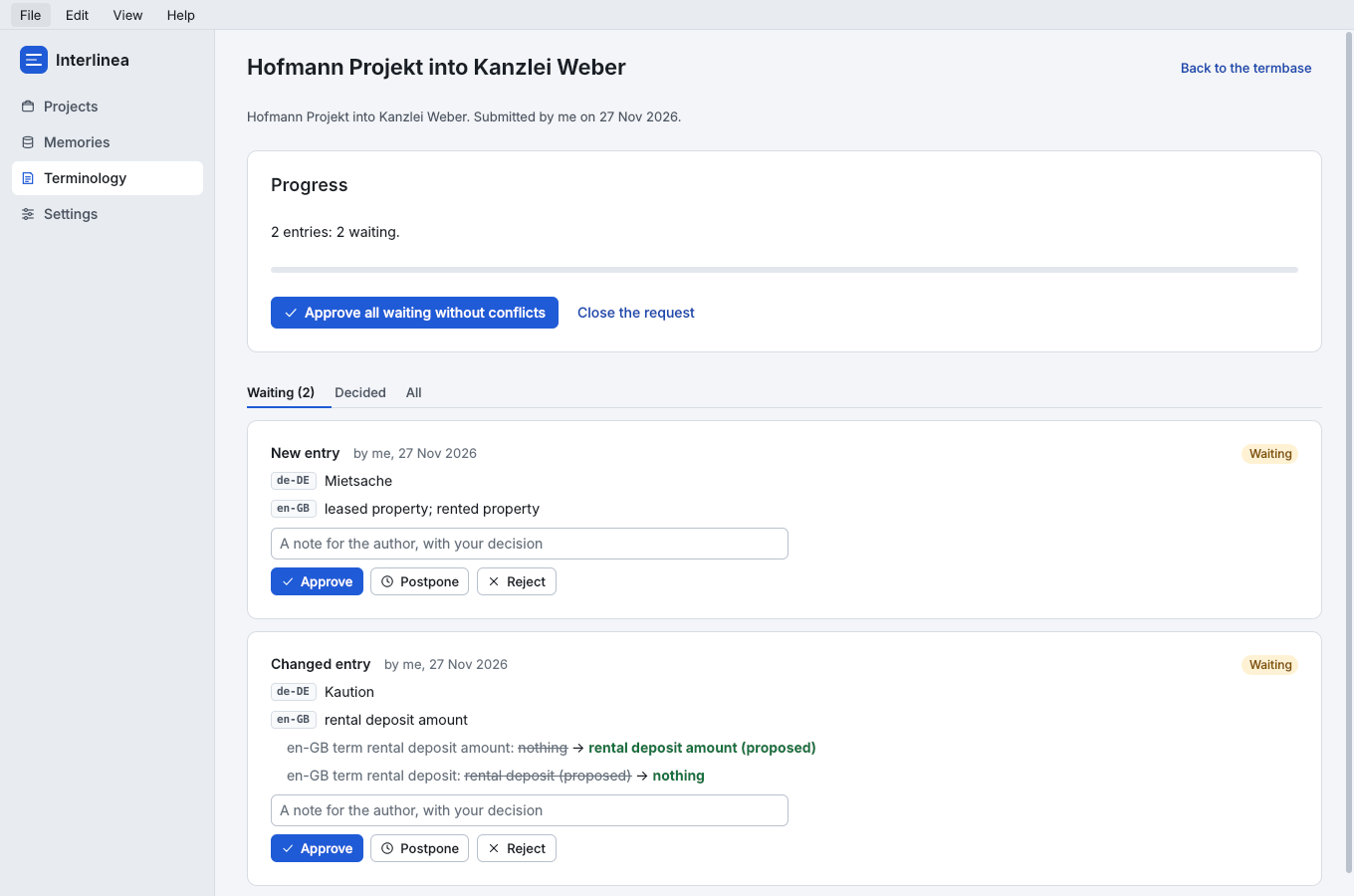
Every page is laid out as the same screen of the browser client, which is the model: the project list, New project in its steps, the project page, the editor, Memories with alignment, Terminology with the review of merge requests, Accounts on a team server, and Settings.
- Projects: the projects on this computer and on each team server, with their work and due dates; new projects from documents, folders, bilingual files and packages, with the source language detected and the client’s memories and termbases suggested; the project page with its files, languages, settings, memories and termbases, people, work given out, pre-translation, analysis, and the translated files or return packages.
- Editor: the segments with tags as objects, matches with their differences, terms in the source, concordance, checks as you type, spelling, filters, search and replace, locked segments, who else works on the file, live changes and conflicts, terms added while translating, the preview, and keyboard shortcuts close to those of the common tools.
- Memories: the main and project memories on this computer and on each team server; memories made from TMX, Trados Studio and Wordfast files, exported as TMX, searched, and their units changed; documents aligned with their translations into a memory, with sections moved into the document’s order where the translation has them elsewhere.
- Terminology: master and project termbases, entries with their fields and history, earlier versions brought back, duplicates merged, import and export (TBX, MultiTerm, CSV, TSV, Excel), merge requests and their review, printed glossaries, in plain words or the words of git.
- Accounts on a team server, for administrators and managers.
Releases
Section titled “Releases”The release workflow builds the app from a version tag and starts each build once before it is published: a Windows installer (Inno Setup, for one person, without administrator rights) and a portable zip, a universal macOS disk image, and a Linux AppImage. The Windows files are not signed with a code signing certificate and the macOS app is signed for the computer only and not notarized, so both systems warn on the first start; signing.md says what the workflow does once the certificates are there.
Not done yet: a review with NVDA, VoiceOver and Orca by people who use them every day, a variant for the system’s high contrast setting, and a Flatpak.
The interface is written in QML (desktop/qml): its own controls in
qml/controls (buttons, fields, tables, tabs, dialogs, menus) drawn from
the tokens in DESIGN.md, the parts of pages in qml/parts and the pages
in qml/pages. It looks the same on Windows, macOS and Linux and follows
the system’s light or dark setting. src/ui is the bridge to C++: the
Backend object the pages call for requests to the core and team servers,
files and their dialogs, segments with tags (SegmentDocument), the
document preview, regular expressions with Unicode classes (which the QML
engine lacks) and the settings.
Desktop behaviour: a menu bar (File, Edit, View, Help) with the system’s shortcuts, native file dialogs, documents dropped on the window or named when Interlinea starts begin a project, a second start hands its files to the running app and brings its window up, and the window keeps its place and size.
 |
 |
ctest runs the app’s tests on the offscreen platform against a real
core, each also at 150 % scaling: the API client, the live feed, the
keychain, sign-in with an identity provider, connections, and the QML
window worked as a person does (tests/testcore.h, QmlApp: parts found
by their objectName, buttons clicked, text typed key by key, notices
read). tst_ui covers every page at three window sizes and Settings,
tst_editor the editor, tst_memories memories and alignment,
tst_terminology termbases and merge review, tst_interfacelanguage the
pages in German and Korean. At every step that matters a layout check
looks for text that is cut off or runs out of its row, and for parts that
lie over each other. The end-to-end test (tst_endtoend) also needs a
team server and its administrator:
INTERLINEA_TEAM_SERVER=http://127.0.0.1:18080 \INTERLINEA_TEAM_USER=anna INTERLINEA_TEAM_PASSWORD='a long enough password' \ctest --test-dir build/desktop -R endtoendIt signs in, makes and fills a memory on the server from the Memories page, translates a project on the server in the editor and gets the document back, makes an account on the Accounts page, and adds an entry to a termbase on the server. CI runs it on Linux against a server it starts.
INTERLINEA_SCREENSHOTS=<folder> makes the tests save the window at the
steps they check.
Conventions
Section titled “Conventions”- C++20 and QML, Qt 6.8 LTS (Qt Quick, Quick Controls for the templates the controls are built on, Quick Layouts, Quick Dialogs). No other dependencies besides the platform keychain APIs.
- Sources in
desktop/:src/(the connections, sign-ins and catalogs; lowercase file names, one class per pair of files),src/ui/(the bridge),qml/,tests/,packaging/. Classes and QML types in PascalCase; every function a page calls from a button can be called by a test as well. - No placeholders: a control that is shown works.